


A report can be ready while its requested image export is still missing. For a planned hospital submission in China, confirm the receiving department and visit stage before choosing translations or file formats. Keep each original linked to its translation, where required, and give missing files their own status. A report accepted in English can still sit in an incomplete package. Receiving the files, finding them complete for review and confirming an appointment are separate answers.

The result to keep is a short item ledger: what was requested, which original and translation you hold, what is missing and which hospital instruction applies. The worked example below shows how to update it when a language requirement changes without losing track of missing images or an unconfirmed appointment. Clinical decisions remain with the receiving team. For the wider journey, start with medical travel preparation.
Tie the language answer to the department and visit stage
Before commissioning translation, identify the hospital, department and purpose of the submission. Are the records for an initial enquiry, a video consultation or a confirmed onsite visit? Ask which documents and dates are needed for that stage, which languages are accepted and whether a particular translator, certification or layout is required. An answer without its context is difficult to reuse correctly.
Published provider instructions illustrate the boundary. Parkway Shanghai's international patient guide asks visitors preparing for arrival to bring prior records, imaging and a current medication list, translated into English or Chinese if possible. That is Parkway's published preparation wording. It does not establish the rule for another hospital or every document submitted to a particular department.
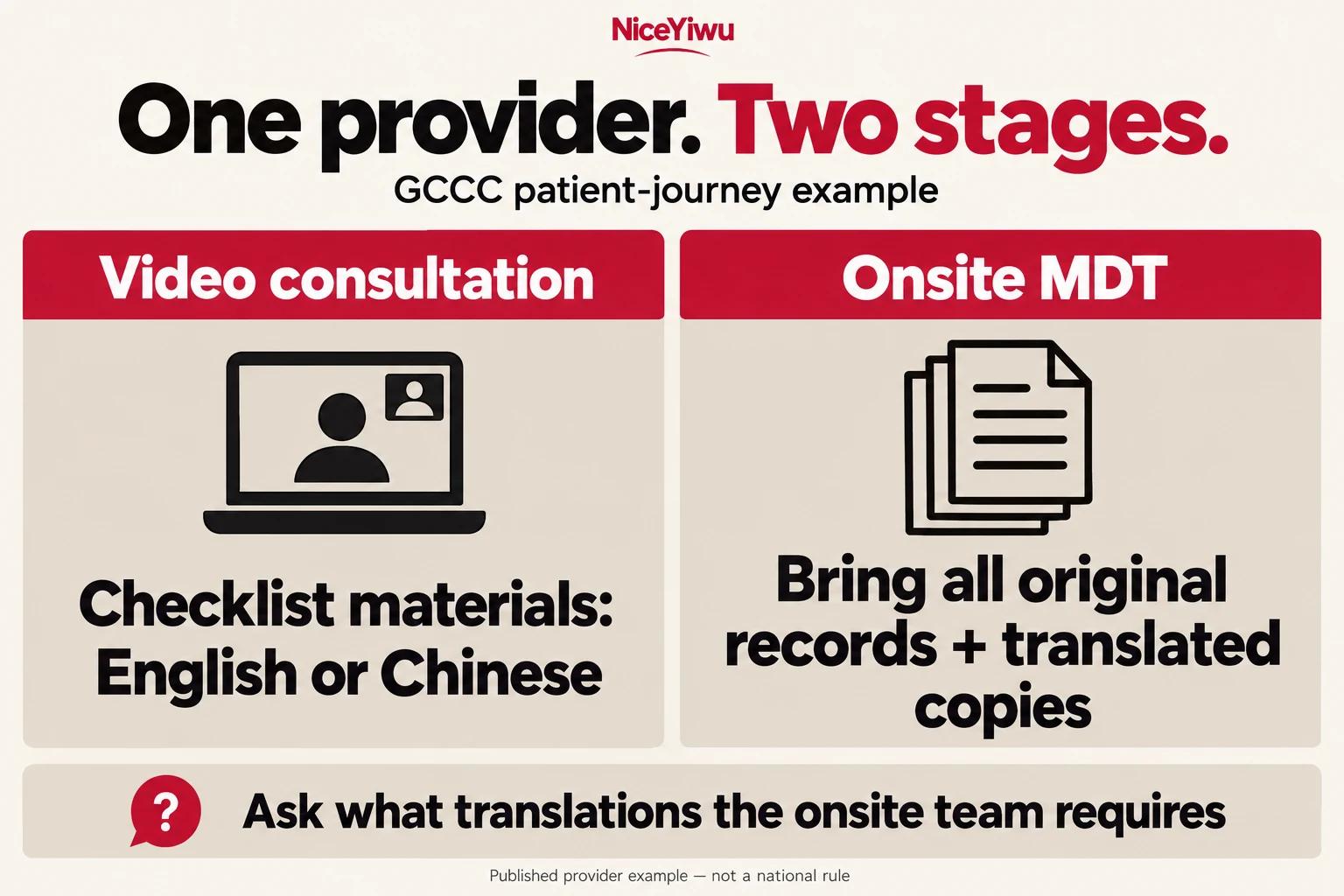
The Guangzhou Concord Cancer Center patient journey makes the visit stage especially important. Its video-consultation step accepts materials in English or Chinese according to its checklist. Its separate onsite multidisciplinary discussion, or MDT, step asks patients to bring all original records and translated copies. The earlier language statement does not cancel that later instruction. If using this provider, ask what translations its onsite team requires rather than treating video-intake acceptance as permission for the whole journey.
Use the same discipline with your chosen department: retain its answer, the date and the stage it covers. If your documents already use an accepted language, ask whether any named item still needs another version. If the department requires translation, obtain its language and translator requirements before agreeing the job. This guide establishes neither a national requirement for certified Chinese translations nor a universal exemption for English records.
Spoken language support is a different arrangement. An English consultation does not by itself confirm that every written report will be issued in English. Ask about submitted records, consultation interpretation and documents issued afterwards separately. Those questions belong with the hospital or the named language-service provider; a driver or travel host should not be assumed to cover them.
Give each requested item an original, translation and file status
Put the receiving context above the ledger: hospital and department; submission purpose and stage; instruction date; official contact or channel; and the next answer you are waiting for. Then give each requested item a reference. The ledger is an editorial organising aid, not a mandatory hospital form or a new clinical summary.
| Item reference | Original | Translation | Applicable instruction | State and next action |
|---|---|---|---|---|
| Reference ___ Type/date ___ | File name ___ Pages/readability ___ | Required? ___ Language/file/version ___ | Department/stage ___ Reply date ___ | Ready/missing/unclear ___ Action/owner ___ |
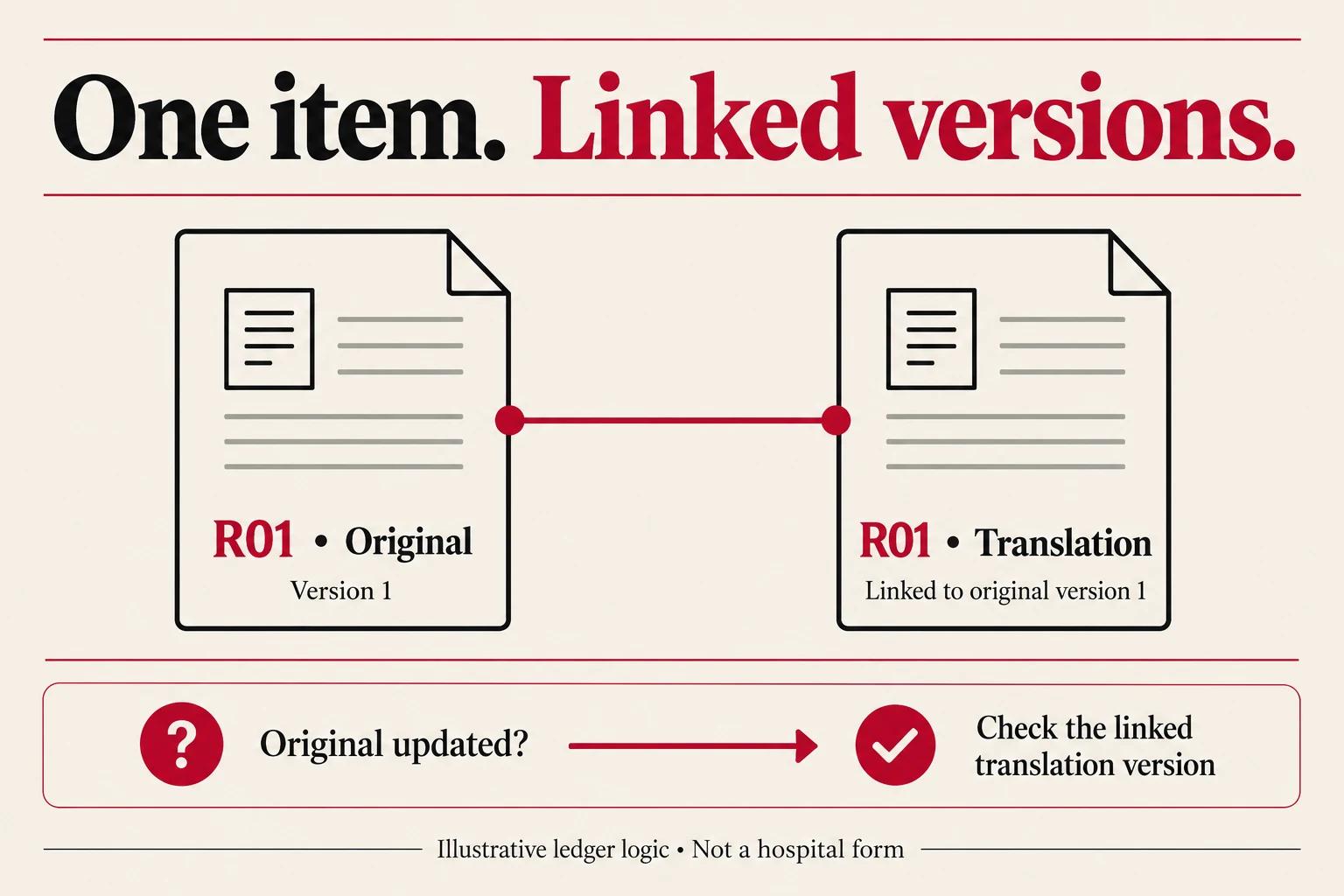
An item reference such as “R01” helps a companion connect the file, translation and question without renaming the clinical content. Keep the issuing provider, document title and date in your private record. Use the hospital's own naming instructions where supplied. Avoid putting unnecessary sensitive identifiers into file names or public messages.
Keep the unaltered original and label the translation separately. Match the translation to the original's item reference and version so an updated translation does not accidentally remain linked to an old scan. If the translation scope is not settled, enter “requirement pending”, rather than implying that no translation is needed. If no translation is requested under a specific answer, retain that answer with its stage and date.
Flag missing pages, unreadable wording and an uncertain document date. Do not let a translator guess illegible text or silently reconcile conflicting numbers. Request clarification or a clearer copy from the issuing organisation, and leave the affected row unresolved. A polished folder cannot repair an incomplete source.
A separate factual summary can help identify what you are submitting and the question you want the hospital to answer. It should point to the underlying records, not replace them or rewrite an uncertain finding as a confirmed diagnosis. Ask the hospital or your clinician when you cannot supply a requested clinical field accurately.
Resolve the missing file rather than translating the wrong item
Language and file availability can fail independently. A legible report in the accepted language does not establish that the requested imaging files are present. List the written scan report and underlying images as separate items when the hospital requests both. Ask whether the receiver needs original image data, whether it specifies DICOM and which transfer method it accepts. Do not infer a universal file format from a general China hospital guide.
If you have only the written report, mark the image-file item “not obtained”. Ask the imaging provider for the requested export and tell the receiving department what you currently hold. A photo of a disc label is not the image set. A screenshot pasted into a PDF should not be described as the original examination files.
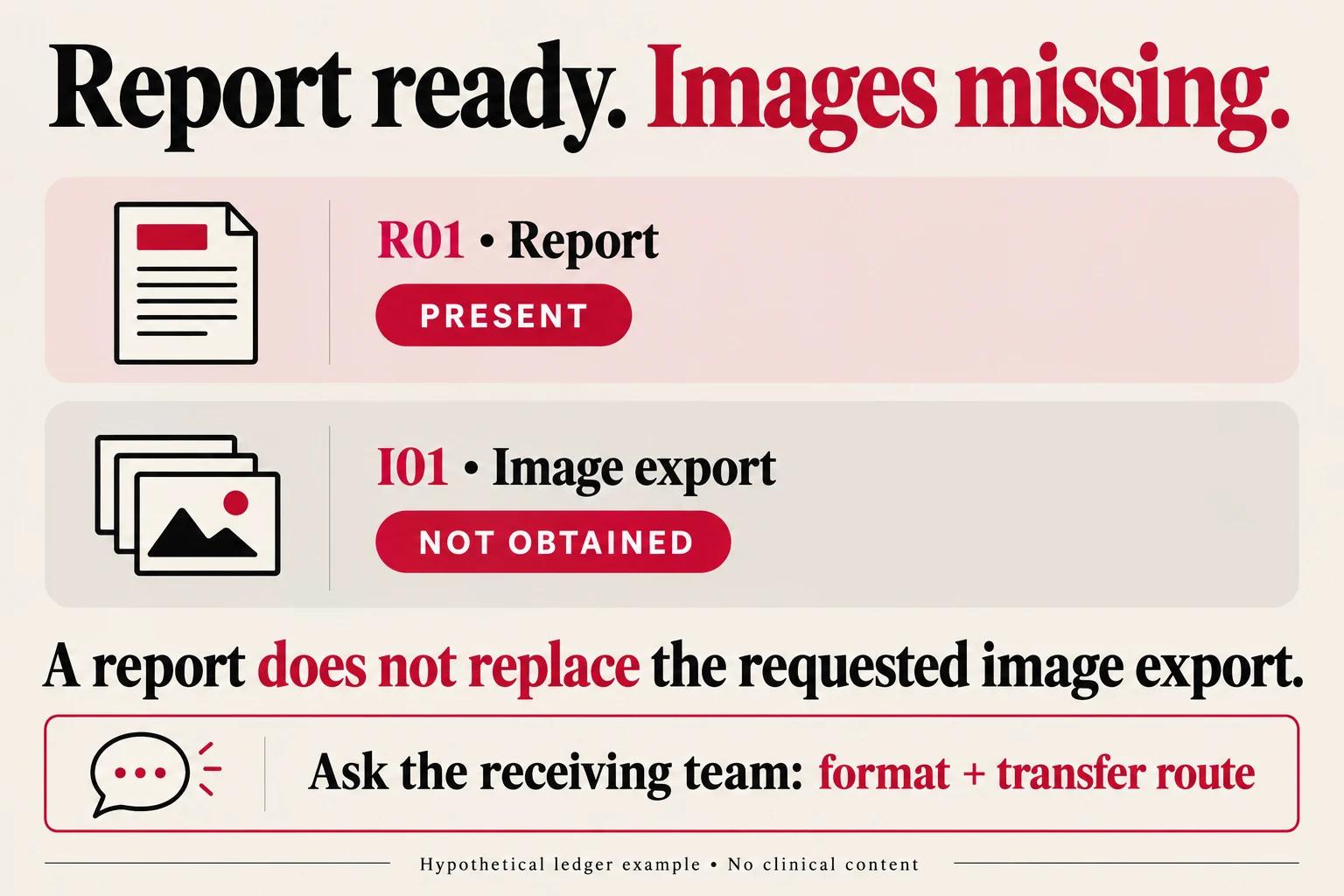
Likewise, a file existing on a disc or drive does not establish that the receiving department can open it. Confirm the permitted medium or upload channel and ask how to check transfer success. Obtain the original export or instructions from the issuing provider rather than editing clinical image files to simplify them. The receiving clinical team decides whether the material is sufficient.
For ordinary document files, check expected page count, order, orientation and legibility on a copy. If a requested page is missing, ask for that page; translating the pages already present will not supply it. If a cloud link or attachment cannot be used through the hospital's specified route, resolve the route rather than repeatedly sending it to unrelated contacts. This article establishes no standard attachment limit, accepted storage device or response time.
Update the ledger when the hospital changes its reply
This is a teaching example, not a patient case or a rule from Parkway or GCCC. Assume one named department, for one specified submission stage, accepts an English report and requests its underlying images. The traveller has the report but not the image export. No appointment has been confirmed.
The first record has two different results: the report is present and its translation is not requested under that answer; the images are missing. The next action concerns the export, not translation of the report. Both results can be true at the same time.
| Reply or event | R01: report | I01: image files | Action and remaining status |
|---|---|---|---|
| Initial department reply accepts English for this stage | Original R01-report-EN.pdf present; translation not requested under saved reply | Requested export absent | Obtain image export; appointment pending |
| Later reply specifies Chinese translation for the report | Original retained; specified translation now pending | Still absent | Arrange required translation and obtain images; neither gap clears the other |
| Translation completed and requested images sent | Original paired with R01-translation-ZH.pdf | Sent by specified route | Record transmission; ask receiver about receipt and completeness |
| Receiver acknowledges delivery only | Delivered, as acknowledged | Delivered, as acknowledged | Completeness and appointment remain pending |
The changed language instruction changes R01's translation field. It does not obtain I01. Sending I01 later changes its delivery field; it does not confirm the appointment. The ledger therefore tells a companion what to do next without making them reconstruct the whole conversation.
Preserve the earlier instruction when a later answer changes it. Record the new answer's department, stage and date, and identify which items it affects. If the message is unclear about whether it replaces an earlier rule, ask before treating it as a replacement. Moving from video review to an onsite appointment is a reason to check the new stage's requirements, not to assume the old package remains complete.
After each change, review only the dependencies actually affected. A new translation rule may require a new file and version link. A clearer original may require the translator to check the corresponding version. A campus change affects practical travel arrangements. None of those events should silently overwrite an unrelated “pending” field.
Record receipt, completeness and appointment separately
The hospital visit checklist owns the general confirmation questions. Keep its three distinctions visible in your record: what arrived, whether the requested package is complete for the proposed review, and whether the appointment is confirmed. A transfer acknowledgement can answer the first without answering the other two.
- Confirm the official receiving instructions. Retain the recipient, requested items, languages, stage and file requirements. If another organisation is involved, confirm its role and authorised channel with the hospital before sending sensitive records.
- Send the identified package. Use the specified route and keep your private index, version list and submission date. Record the acknowledgement for what it actually says.
- Ask for the outstanding answers. Is any item missing or unusable for the proposed review? Is the appointment confirmed, and for which department, campus, date and time? Keep unanswered fields pending.
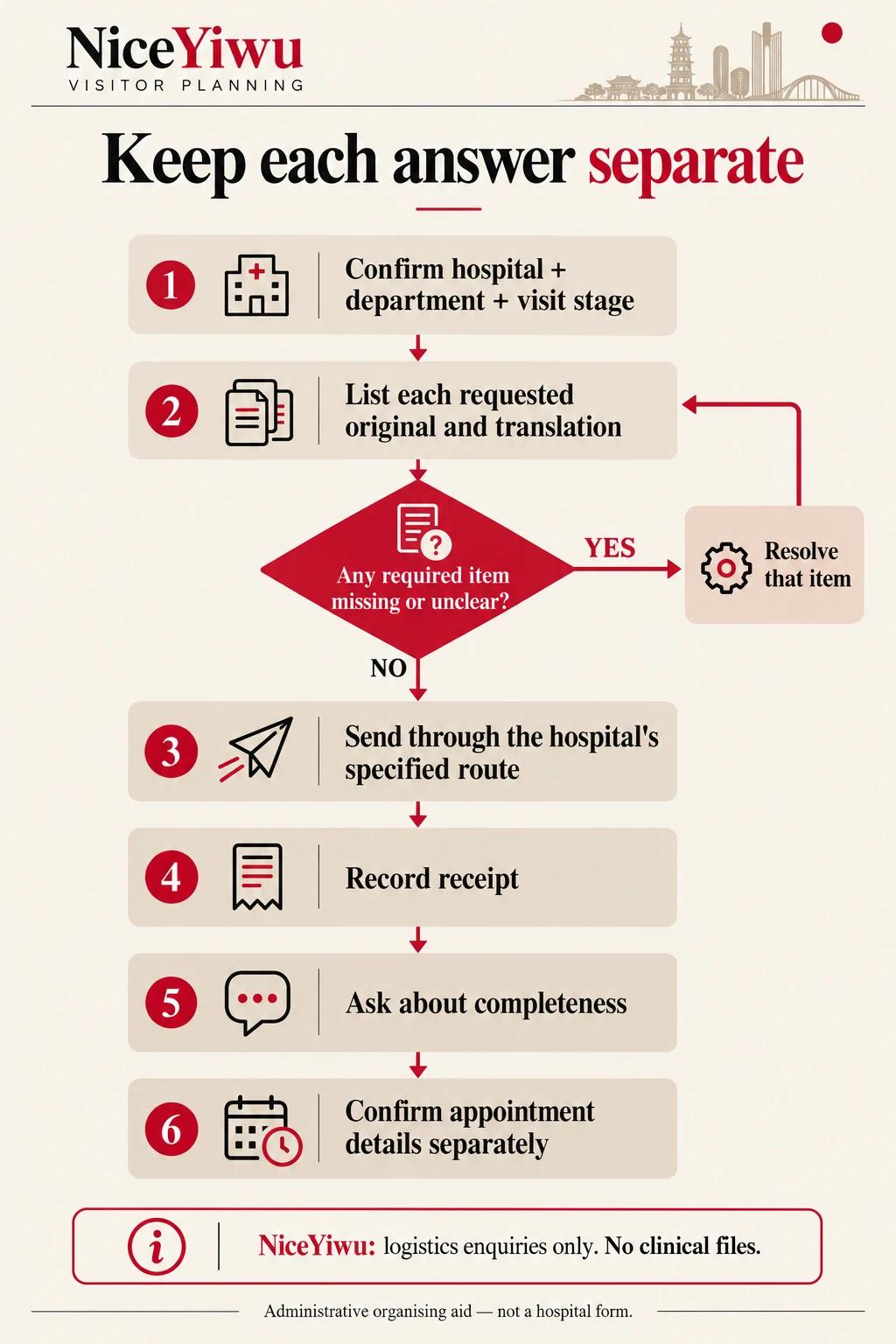
- Confirm the hospital, department and visit stage.
- List each requested original and its required translation, keeping unresolved items visible.
- If a required item is missing or unclear, resolve that item with the issuing or receiving team and update its row.
- Use the hospital’s specified route for the package it asks you to send.
- Record receipt for what the acknowledgement actually says.
- Ask separately whether the package is complete for the proposed review.
- Confirm appointment details separately; keep unanswered fields pending.
Keep campus-dependent travel provisional while the necessary attendance details remain unconfirmed. When the hospital settles those details, use the patient and companion stay guide for room, transport and companion arrangements. Do not treat a tidy record package as permission for care or a fixed attendance schedule.
For practical local support, Discuss your medical visit logistics. Share the city, dates, travellers and transport, stay or language-support task. Scope, availability and fees require confirmation. The NiceYiwu form accepts logistics enquiries; it does not receive clinical records, provide medical-record translation, submit a hospital case or reserve an appointment.
Conclusion
Check the governing department and visit stage first. Then check each original, its required translation and version link, and any missing file.
- Update the affected item when an instruction changes; retain the dated earlier answer.
- Keep receipt, completeness and appointment confirmation as separate fields.
- Leave every unanswered field pending before fixing campus-dependent travel.
A completed translation clears that translation task. It does not clear an unrelated file gap.
Frequently asked questions
Does English acceptance for video review cover an onsite visit?
Do not assume it does. Check the onsite department's instructions; the GCCC example publishes distinct video and onsite MDT requirements.
Can a summary replace the original reports?
The receiving hospital decides what is sufficient. Keep a summary separate and linked to the originals it describes.
Does an upload acknowledgement confirm an appointment?
No. Record what arrived, then obtain separate answers about completeness and the appointment's department, campus, date and time.